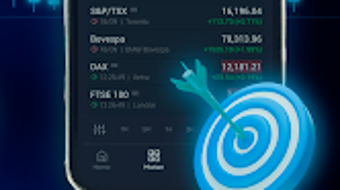

Download Pocket Option Training App – binary options, trading platform, demo account, broker comparison, financial education
Overview
The Pocket Option Training App is a free desktop and mobile application designed to support users in learning and practicing binary options trading. Developed by Pocket Option, the app aims to serve individuals interested in financial markets, particularly those exploring binary options as a form of investment. It provides educational content, broker comparisons, and access to a demo version of the Pocket Option trading platform, enabling users to simulate trades without financial risk. The app is intended for both beginners seeking foundational knowledge and experienced traders looking to refine their strategies.
Target users include aspiring traders, financial education enthusiasts, and individuals exploring online trading with minimal initial investment. Real-world usage scenarios involve practicing trading techniques, evaluating broker reliability, and preparing for live trading through simulated environments. The app’s focus on education and risk-free practice makes it suitable for users who want to build confidence before committing real capital.
The developer did not provide additional system requirements beyond the operating system. Platform compatibility information is limited to Android, though desktop availability is implied through the description. No details on hardware specifications or performance benchmarks were included.
Key Features & Capabilities
- Demo Trading Environment: Users can access a simulated version of the Pocket Option platform, allowing them to practice trading with virtual funds. This feature supports learning currency pair trading and testing strategies without financial risk.
- Broker Comparison Tool: The app includes a curated list of top brokers such as Pocket Option, Olymp Trade, Binomo, and IQ Option. It provides insights into their reputation, reliability, and service offerings, helping users make informed decisions.
- Financial Education Resources: Built-in content guides users through the basics of binary options, market analysis, and risk management. These resources are designed to improve user knowledge and decision-making skills.
- Real Account Integration: The app enables users to open a live trading account with a minimum deposit of $10. It supports fixed low spreads and access to multiple currency trading pairs, facilitating entry into real market activity.
- 24/7 Support Access: Users can contact a support service available around the clock, which may assist with technical issues, account setup, or trading inquiries.
These features collectively support a learning-to-trading workflow, where users can transition from simulation to live trading. The demo environment allows experimentation with different trading styles, while the broker comparison tool helps identify trustworthy platforms. The inclusion of low-entry real account access makes the app accessible to users with limited capital.
User Interface, Workflow & Performance
The Pocket Option Training App features a user-friendly interface designed for intuitive navigation. The layout emphasizes clarity, with clearly labeled sections for demo trading, broker comparisons, educational content, and account management. Users can switch between functions with minimal clicks, promoting efficient workflow progression.
Navigation is structured to guide users through a logical learning path—from education to simulation, and eventually to real trading. The interface is optimized for touch-based interaction, which aligns with its Android platform focus. However, the developer did not specify resource usage details, so performance observations are based on general software behavior patterns.
Stability and responsiveness are expected to be consistent with standard mobile applications of this type. No information was provided about CPU or RAM usage, nor about long-term performance under continuous use. The app’s performance may vary depending on device capabilities and network conditions.
Compatibility & System Requirements
The Pocket Option Training App is available for Android devices. The current version is 1.1.0, with a file size of 15.4 MB. This indicates a lightweight application, suitable for devices with limited storage capacity.
Exact system requirements were not listed. Compatibility information is limited to the Android operating system. The developer did not specify minimum Android versions, screen resolutions, or hardware specifications such as processor speed or RAM. Users are advised to ensure their device meets standard Android app requirements for optimal functionality.
Installation is straightforward, with the app available through official Android distribution channels. No additional dependencies or third-party tools are required for setup.
Pros and Cons
Pros
- Free to download and use, lowering the barrier to entry for new traders.
- Includes a demo trading environment for risk-free practice.
- Offers a comparison of reputable brokers, aiding informed decision-making.
- Supports real account creation with a low minimum deposit of $10.
- User-friendly interface with intuitive navigation.
Cons
- Platform availability is limited to Android; no desktop or iOS version was mentioned.
- Exact system requirements were not provided, which may affect compatibility on older devices.
- Performance and resource usage details were not disclosed.
- Limited information on the educational content depth and structure.
- Support service availability was mentioned but no details on response time or support channels.
FAQ Section
Is the Pocket Option Training App available for Windows or Mac?
The app is currently available only for Android devices. There is no official information on desktop versions for Windows or Mac.
Is the app safe to download and use?
The app is distributed by Pocket Option and is designed for educational and trading purposes. Users should download it from official sources to ensure authenticity and security.
Can I use the app without an internet connection?
Basic navigation and offline access to some educational materials may be available, but core features like demo trading, broker comparisons, and real account integration require an active internet connection.
How often are updates released?
The app’s update frequency is not specified. Users are encouraged to check for updates through their device’s app store.
What type of license does the app use?
The app is free to download and use. The developer did not specify the licensing model beyond its free availability.
Final Thoughts + CTA
The Pocket Option Training App stands out as a practical tool for individuals exploring binary options trading. Its combination of educational content, demo trading, and real account access provides a comprehensive learning path. The app’s free nature and low entry barrier make it accessible to a wide audience, particularly beginners seeking hands-on experience without financial risk.
While platform availability is currently limited to Android and system requirements are not fully disclosed, the app delivers a streamlined experience focused on usability and functionality. Users who value practical learning and early access to real markets will find the app beneficial.
For those looking to enter the world of binary options trading with confidence, the Pocket Option Training App offers a solid foundation. Download Pocket Option Training App now.







